How to Set Up a Home Office: A Complete Guide to Furniture & Ergonomics
How to Set Up a Home Office: A Complete Guide to Furniture & Ergonomics
March 6
Working from home has become a permanent reality for millions of professionals. Whether you have a dedicated spare room, a quiet corner of your living space, or a compact studio apartment, how you furnish and organize your home office has a direct impact on your productivity, health, and overall well-being.
This guide walks you through everything you need to know about setting up a home office — from choosing the right desk and chair to optimizing lighting and storage — so you can create a workspace that works as hard as you do.
1. Start With a Plan: Assess Your Space and Needs
Before purchasing a single piece of furniture, take time to evaluate your space and define what you actually need from your home office.
Measure Your Space
Grab a tape measure and note the dimensions of the area you plan to use. Even in a small room, knowing the exact square footage helps you choose appropriately sized furniture and avoid overcrowding. Aim to leave at least 36 inches of clearance around your desk for comfortable movement.
Define Your Work Style
Think about how you actually work day-to-day:
- Do you spend most of your time on a computer, or do you need space for physical documents and materials?
- Do you take frequent video calls that require a clean, professional background?
- Do you work long hours that demand maximum ergonomic support?
- Do you need storage for files, equipment, or supplies?
Answering these questions will guide every furniture decision you make.
2. Choosing the Right Desk
The desk is the centerpiece of your home office. The right choice depends on your space, work tasks, and personal preferences.
Standard Writing Desks
A simple, flat-surface desk is ideal for laptop users or those who do not need much spread. These tend to be more affordable and fit well in tighter spaces. Look for a model with a clean, uncluttered design to keep your workspace feeling open.
L-Shaped Desks
If you need room to spread out — dual monitors, a printer, physical files — an L-shaped desk maximizes surface area without taking up excessive floor space. The corner design also helps define your workspace within a larger room.
Standing Desks and Height-Adjustable Desks
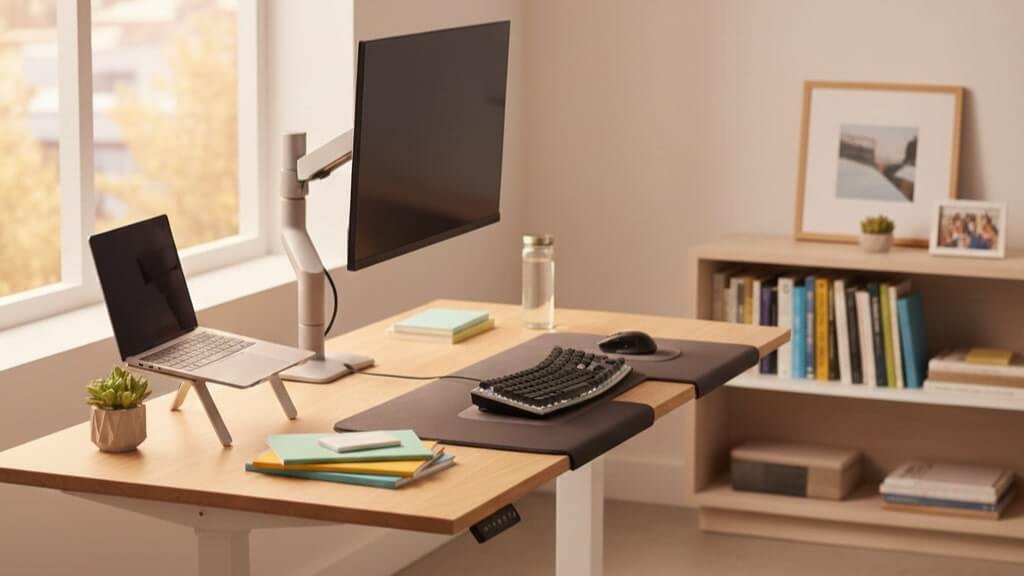
Height-adjustable (or sit-stand) desks have surged in popularity for good reason. Alternating between sitting and standing throughout the day reduces fatigue, improves circulation, and can help alleviate lower back pain. Look for electric lift mechanisms with memory presets for the smoothest experience.
Key Desk Features to Look For
- Surface depth of at least 24 inches to allow proper monitor distance
- Cable management grommets or trays to keep wires tidy
- Durable, easy-to-clean surface material
- Sturdy legs with adjustable leveling feet for uneven floors
Also Read: 15 Different Types of Desks For Every Type of Office
3. Selecting an Ergonomic Office Chair
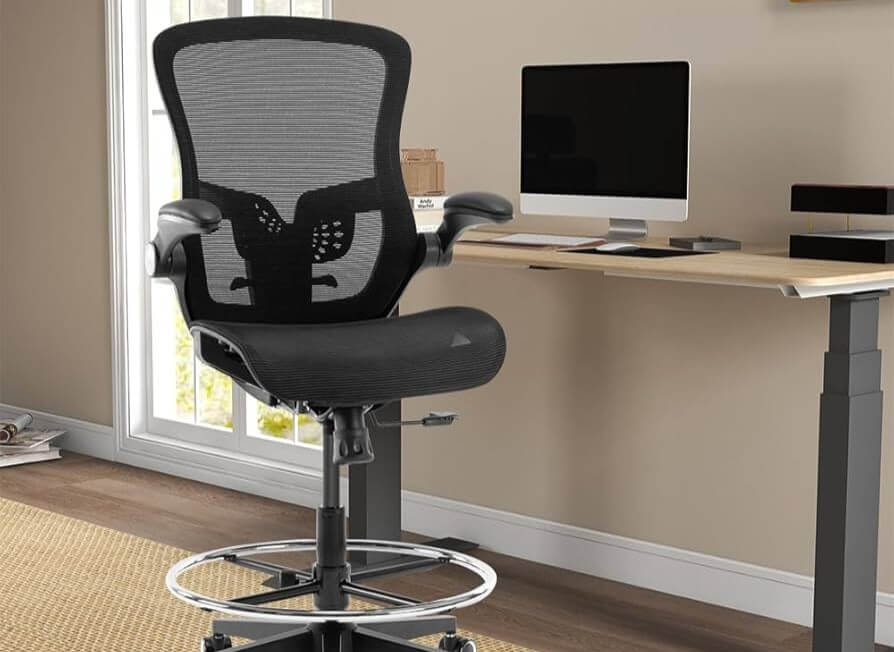
If there is one area where you should invest heavily in your home office, it is your chair. You may spend six to ten hours a day seated, and a poor-quality chair can lead to back pain, neck strain, poor posture, and decreased focus.
What Makes a Chair Truly Ergonomic?
A genuinely ergonomic chair is not just one that looks sleek — it actively supports the natural curves of your spine and adapts to your body. Key adjustability features include:
- Seat height adjustment to keep your feet flat on the floor
- Lumbar support that targets the lower back
- Adjustable armrests to reduce shoulder and neck tension
- Seat depth adjustment to support the full length of your thighs
- Tilt tension and recline lock for varying postures throughout the day
Mesh vs. Upholstered Chairs
Mesh-back chairs offer excellent breathability, making them ideal for warmer home environments or long work sessions. Upholstered chairs (foam or leather) tend to feel softer and are better suited for cooler spaces. Both can be ergonomic — what matters most is the adjustability and lumbar support, not the material.
Don’t Overlook Seat Padding
A chair that is too firm or too soft will cause discomfort over time. Look for high-density foam or multi-layer cushioning that retains its shape. Memory foam seats can feel luxurious initially but may compress over time with heavy use.
4. Monitor Setup and Display Positioning
Even the best chair cannot fully protect you from eye strain and neck pain if your monitor is positioned incorrectly. Proper display setup is a critical and often overlooked part of home office ergonomics.
Monitor Height
The top of your monitor should be at or slightly below eye level. When looking straight ahead, your gaze should naturally fall on the upper third of the screen. If your monitor is too low, you will constantly tilt your head downward, straining your neck over time. Use a monitor stand or arm to achieve the correct height.
Monitor Distance
Position your screen approximately 20 to 30 inches from your eyes — roughly arm’s length. If you find yourself leaning forward to read text, increase your font size rather than moving the monitor closer.
Dual Monitor Setups
If you work with two monitors, position your primary screen directly in front of you and the secondary screen at a slight angle to the side. Avoid placing them side-by-side at the same level if one is rarely used — you should not have to constantly rotate your neck to access both screens.
5. Storage Solutions That Keep Clutter Under Control
A cluttered workspace is a productivity killer. Thoughtful storage keeps your home office functional and your mind clear.
Filing Cabinets
If you handle physical documents, a filing cabinet is essential. Vertical cabinets save floor space and work well in narrow areas. Lateral filing cabinets offer more drawer width and can double as a surface for printers or other equipment. Look for cabinets with a locking mechanism if you handle sensitive documents.
Bookshelves and Open Shelving
Open shelving is a versatile and cost-effective way to store books, binders, equipment, and decorative items. Wall-mounted shelves are particularly valuable in small spaces as they use vertical real estate without consuming floor area. Keep frequently accessed items at eye level and lesser-used items on higher or lower shelves.
Desk Organizers and Cable Management
Desktop clutter — charging cables, notebooks, pens, sticky notes — adds up fast. A simple desktop organizer tray, a cable management box, and a monitor stand with built-in storage can dramatically improve your workspace feel without major investment.
6. Lighting: The Most Underrated Element of Any Home Office
Poor lighting causes eye strain, headaches, and fatigue. Yet it is one of the most commonly overlooked aspects of home office setup.
Natural Light
Position your desk perpendicular to any windows, rather than directly facing or backing them. Facing a window causes glare on your screen; sitting with your back to a window creates harsh backlighting that strains your eyes. Perpendicular placement gives you the benefit of natural light without direct glare.
Task Lighting
A good desk lamp with adjustable brightness and color temperature is a worthwhile investment. Warmer tones (2700K–3000K) are relaxing and suited for early mornings or evening sessions. Cooler tones (4000K–5000K) are more energizing and better for focused daytime work. Look for lamps with a wide, even beam rather than a concentrated spotlight.
Overhead Lighting
If your home office relies solely on overhead ambient lighting, consider adding supplemental sources. A single ceiling light creates harsh shadows and uneven illumination. Floor lamps, LED strips behind a monitor, and accent lighting work together to reduce eye strain and make the space more comfortable for long sessions.
7. Personal Touches That Boost Productivity and Well-Being
Your home office should feel like your space — not a sterile corporate environment transplanted into your home. A few thoughtful personal touches can make a real difference in how much you enjoy spending time there.
Add Greenery
Studies consistently show that plants in a workspace improve mood, reduce stress, and can even boost cognitive performance. Low-maintenance options like pothos, snake plants, or ZZ plants thrive in indoor conditions and require minimal care.
Manage Noise
If you share your living space with family or roommates, noise can be a significant productivity challenge. Consider acoustic panels, a white noise machine, or noise-canceling headphones. Even a simple area rug can absorb sound and reduce echo in a hard-floored room.
Keep Personalization Professional
If you take video calls, be mindful of what appears behind you. A neutral wall, a tidy bookshelf, or a curated background of books and plants strikes a professional yet personal tone. Avoid overly distracting or cluttered backgrounds in client-facing meetings.
8. A Suggested Home Office Setup Checklist
Use this checklist as a starting point when planning or upgrading your home office:
- Desk with adequate surface depth (24″ minimum) and cable management
- Ergonomic chair with lumbar support and height adjustability
- Monitor at eye level, 20–30″ from your face
- Task lighting with adjustable brightness and color temperature
- Storage solution: filing cabinet, shelving, or desktop organizer
- Cable management to keep your workspace clean
- At least one plant or personal element to humanize the space
- Noise management solution if your home environment is loud
Final Thoughts
Setting up a productive home office does not require a large budget or a dedicated room. With the right furniture choices, a focus on ergonomics, and some intentional organization, even a modest corner of your home can become a space where you do your best work.
At BKM Office, we specialize in helping businesses and individuals find the right furniture for any workspace — from corporate headquarters to the spare bedroom. Browse our full selection of ergonomic chairs, height-adjustable desks, filing cabinets, and storage solutions to find the pieces that will transform your home office.
Ready to upgrade your home office? Contact BKM Office today for expert guidance.